
UPPSC Computer Assistant Admit Card 2026: The Uttar Pradesh Public Service Commission (UPPSC) released the UPPSC Computer Assistant Admit Card 2026 on January 27, 2026 at uppsc.up.nic.in. Candidates can download the advertisement number A‑4/E‑1/2025 admit card by logging into their account with their registration number and password.
The admit card is the mandatory document that candidates need to carry to the examination centre along with valid photo ID. The admit card contains the important candidate as well as examination centre details.
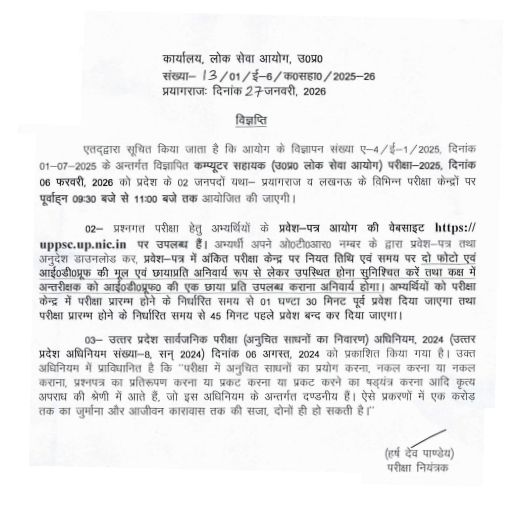
UPPSC Computer Assistant Admit Card 2026: Direct Download Link
The UPPSC Computer Assistant Admit Card has now been released. Candidates can download their admit card by entering their registration number and password on the link provided on the official website or by clicking on the direct link provided below.
| UPPSC Computer Assistant Admit Card 2026 Link |
UPPSC Computer Assistant Admit Card 2026: Overview
UPPSC has activated the link to download the UPPSC Computer Assistant Admit Card at uppsc.up.nic.in. The exam is scheduled to be conducted on February 6, 2026. Check the table below for Key Highlights
| Feature | Details |
| Exam Name | UPPSC Computer Assistant Examination 2025 (Recruitment 2026) |
| Conducting Body | Uttar Pradesh Public Service Commission (UPPSC) |
| Advertisement Number | A-4/E-1/2025 |
| Total Vacancies | 13 Posts |
| Admit Card Release Date | January 27, 2026 |
| Exam Date | February 6, 2026 |
| Selection Process | Written Exam (Objective) Hindi Typing Test |
| Job Location | Uttar Pradesh |
| Official Website | uppsc.up.nic.in |
How to Download the UPPSC Computer Assistant Admit Card 2026?
Candidates can download the UPPSC Computer Assistant Admit Card 2026 by clicking on the direct link provided above or they can follow the simple steps listed below
- Visit the official website, uppsc.up.nic.in.
- On the homepage click on the "Recruitment Dashboard" section
- Now click on the link titled “CLICK HERE TO DOWNLOAD ADMIT CARD FOR ADVT. NO. A-4/E-1/2025, COMPUTER ASSISTANT (UPPSC) EXAM-2025.”
- Enter the details, such as registration number and date of birth and click on the "Download Admit Card" button.
- Admit Card will be displayed on screen; verify all the details mentioned in it.
- Take a printout of the admit card for future reference.




Comments
All Comments (0)
Join the conversation