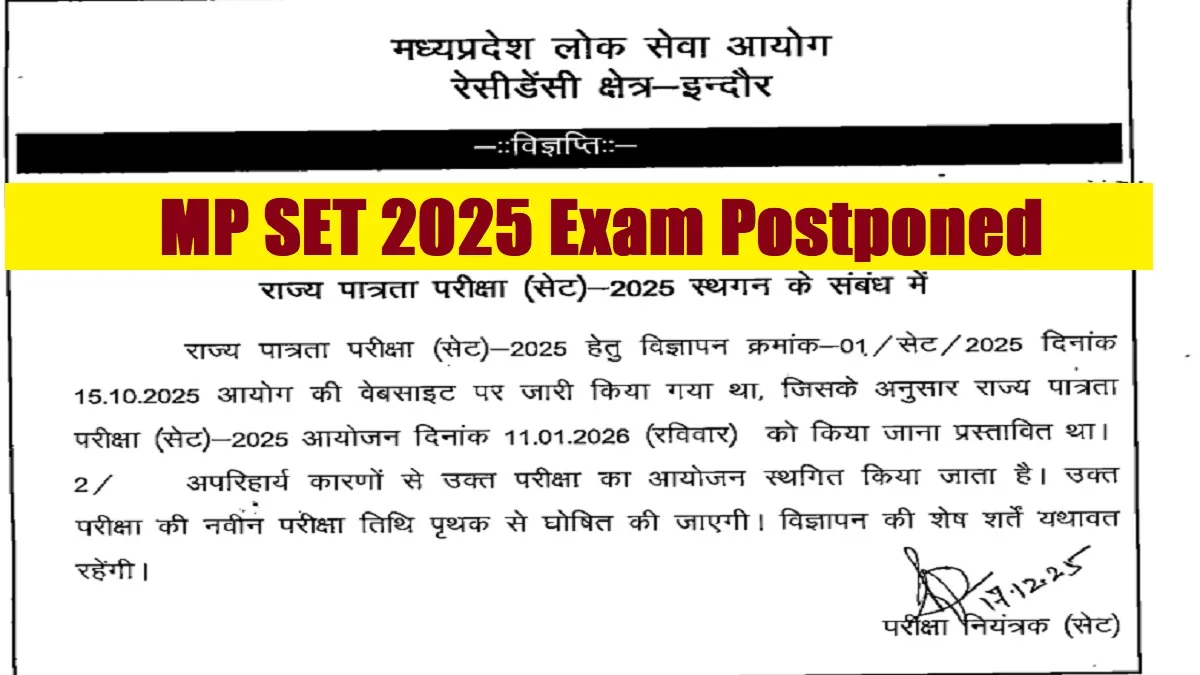
MP SET Exam 2025 Postponed: The Madhya Pradesh Public Service Commission (MPPSC) has officially postponed the State Eligibility Test (SET) 2025. The SET 2025 exam, which is the gateway for the candidates wishing to serve as Assistant Professors in universities and colleges, was scheduled to be held on January 11, 2026 across the state. Now the Commission will release a fresh exam schedule in due course of time. Certainly the sudden postponement of the exam will hamper the pace and preparation for the candidates applied for the same. All those candidates can get the postponement notice pdf available on the official website. The link to postponement notice pdf has also given below-
MP SET Exam 2025 Postponement notice Link
The Madhya Pradesh Public Service Commission (MPPSC), Indore, issued a notice regarding the postponement of the State Eligibility Test (SET) - 2025. You can download the notice pdf through the official website. You can download the same directly through the link given below-
| MP SET Exam 2025 Postponement notice |
MP SET Admit Card 2025 Highlights
The detailed information about the Madhya Pradesh State Eligibility Test (MP SET) 2025 and its postponement notice is summarised below. You can get all the details about the drive launched by the MPPSC.
| Institution | Madhya Pradesh Public Service Commission (MPPSC) |
| Post Name | Madhya Pradesh State Eligibility Test (MP SET) 2025 |
| Exam Date | January 11, 2026 |
| Fresh Exam Date | Awaited |
| Advertisement number | 01/SET/2025 |
| Official Website | https://www.mppsc.mp.gov.in/ |
How to Download MP SET Exam 2025 Notice?
You can download the MP SET Exam 2025 Postponement notice from the official website after following the steps given below-
- Step 1 : Visit the official website of Madhya Pradesh Public Service Commission (MPPSC) at - https://mppsc.mp.gov.in/
- Step 2: Click on the link State Eligibility Test (SET) 2025 notice on the home page.
- Step 3: Click on the concerned link on the home page.
- Step 4: Candidates will get the required pdf in a new window.
- Step 5: Download and save it for future reference.



-1766059382843.jpg)
Comments
All Comments (0)
Join the conversation